

Amazon Seller Central Integration
Connect your Amazon Seller Central account to Profit Hawk to sync inventory, orders, and sales data for demand forecasting and replenishment.
Profit Hawk connects to Amazon Seller Central through the SP-API to pull your inventory, order, and shipment data. This connection is required before you can use forecasting or replenishment features.
Before you start
You need admin access to an Amazon Seller Central account.
Connect your account
Open the Sales Channels page
Go to the Sales Channels page and click Add Sales Channel.
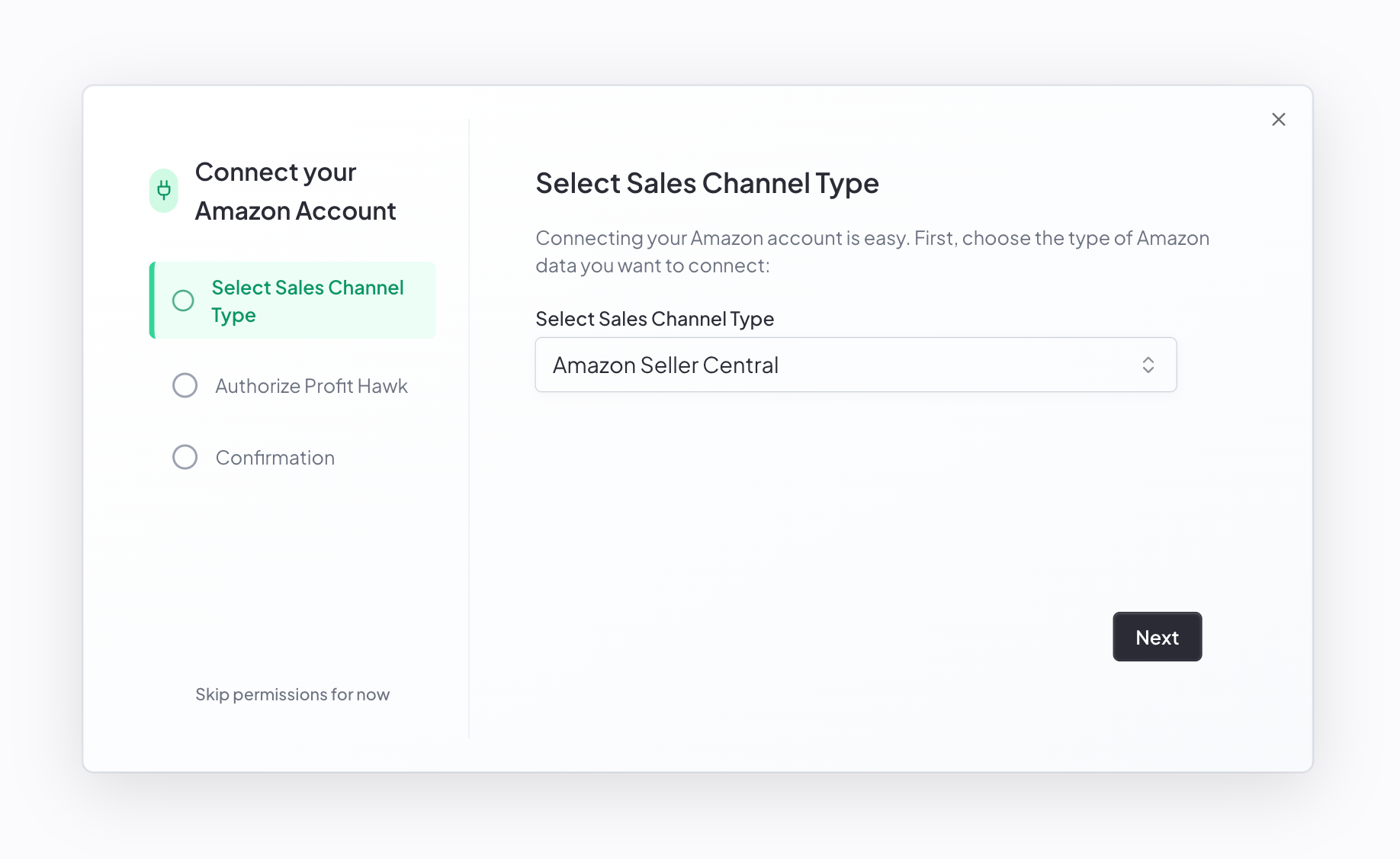
Select Amazon Seller Central
Choose Amazon Seller Central from the Sales Channel Type dropdown and click Next.
Name the account
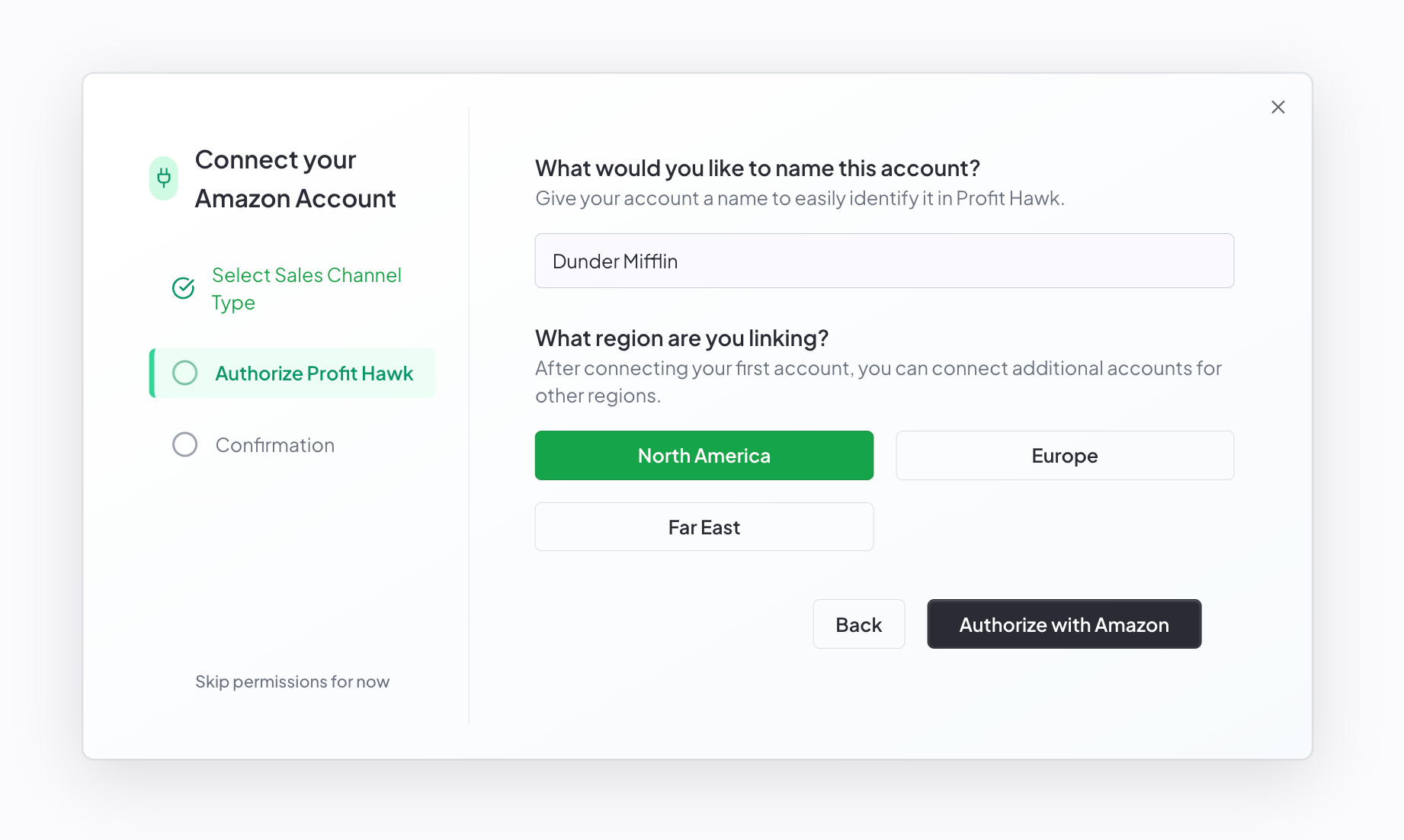
Enter a name to identify this account in Profit Hawk. Use something like your brand or company name (for example, "Acme"). The marketplace is added automatically, so you do not need to include it in the name.
Select your region
Choose the region where your Seller Central account operates: North America, Europe, or Far East. After connecting your first account, you can come back and connect additional accounts for other regions.
Click Authorize with Amazon
Click Authorize with Amazon. You are redirected to the Amazon Seller Central authorization page.
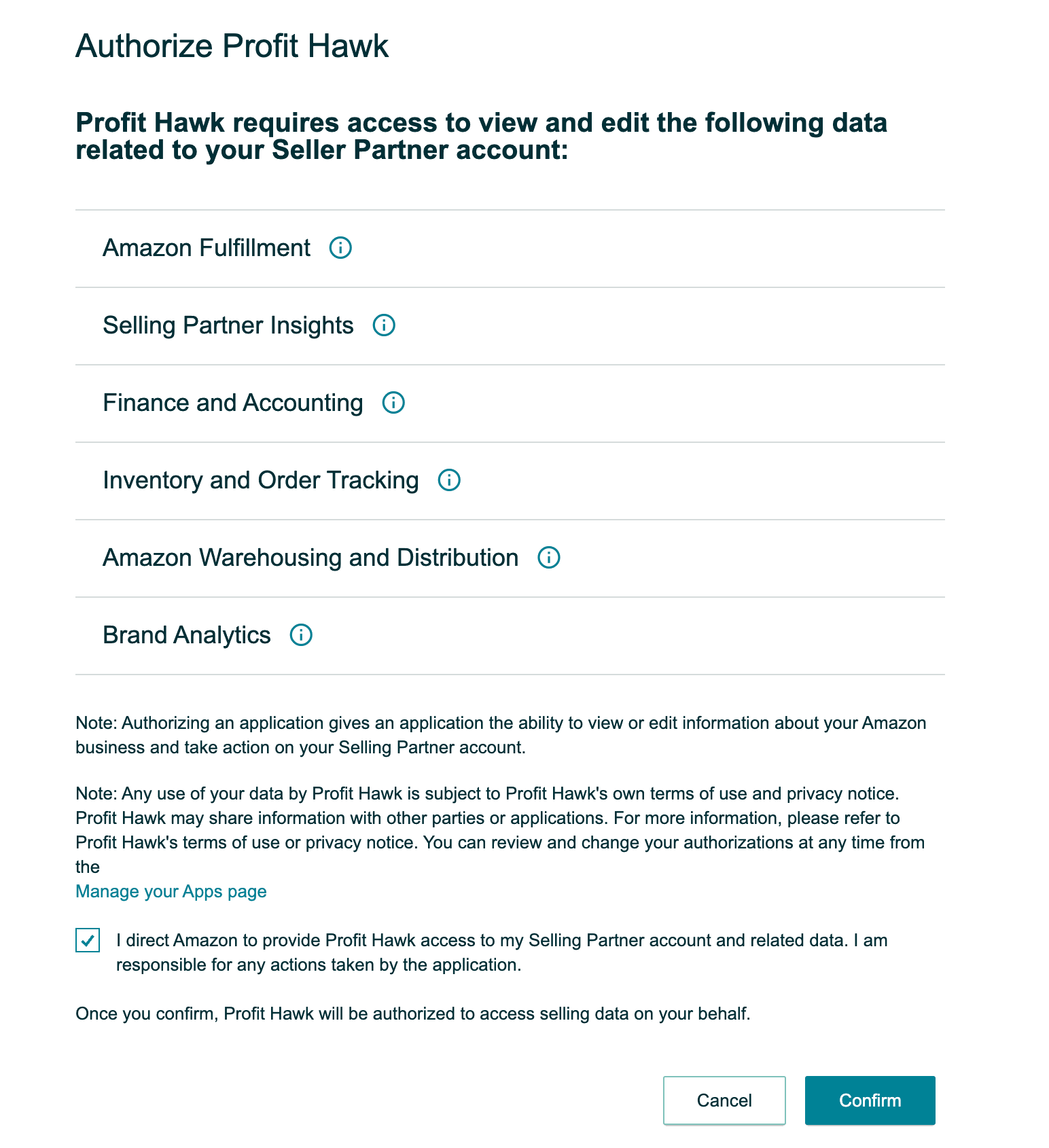
Authorize Profit Hawk on Amazon
On the Amazon Seller Central page, review the data Profit Hawk is requesting access to. Check the box that reads "I direct Amazon to provide Profit Hawk access to my Selling Partner account and related data. I am responsible for any actions taken by the application." and click Confirm.
Return to Profit Hawk
After confirming, you are redirected back to Profit Hawk with a confirmation screen. Your Amazon data import begins automatically.
What happens after you connect
Within a few minutes, Profit Hawk fetches your latest listings and inventory data, processes it, and automatically creates your inventory products. You will get an email as soon as your products are ready so you can start configuring product settings and product costs.
In the background, Profit Hawk also pulls 18 months of historical sales data from Amazon. This takes an estimated 12 to 24 hours due to Amazon's API rate limits. Once the historical import completes, your demand forecasts and replenishment recommendations will automatically populate.
What data does Profit Hawk sync?
Profit Hawk pulls the following from your Seller Central account:
- Inventory levels: FBA available, reserved, and inbound quantities
- Sales and order history: used for velocity calculations and demand forecasting
- Inbound shipment status: units in transit to Amazon fulfillment centers
- Product catalog: ASINs, SKUs, and product titles
Profit Hawk does not automatically modify any data in your Amazon account. If you use Profit Hawk to create inbound shipments, you initiate that action yourself.
Connecting multiple accounts
You can connect Seller Central accounts from different regions. Each account appears as a separate sales channel on the Sales Channels page. Repeat the steps above for each region you sell in. Profit Hawk combines data from all connected accounts into a unified view across your inventory products.
Next steps
Connect Amazon Ads
Add your advertising data to see ad spend and ad-attributed sales alongside your inventory.
Products
Learn how inventory products work once your data finishes importing.
Product Settings
Configure lead times, MOQ, and other settings that drive replenishment.
How Forecasting Works
Understand how Profit Hawk uses your sales data to predict demand.