

Amazon Ads Integration
Connect your Amazon Ads account to Profit Hawk to track ad spend, ad-attributed sales, and campaign performance alongside your inventory data.
Connecting Amazon Ads brings your advertising data into Profit Hawk so you can see ad spend, ad-attributed units, and ad-attributed revenue alongside your inventory and sales metrics. This helps you understand the full picture when making replenishment decisions.
Before you start
You need:
- An Amazon Ads account
- A connected Amazon Seller Central account in Profit Hawk (recommended to connect first)
Connect your account
Open the Sales Channels page
Go to the Sales Channels page and click Add Sales Channel.
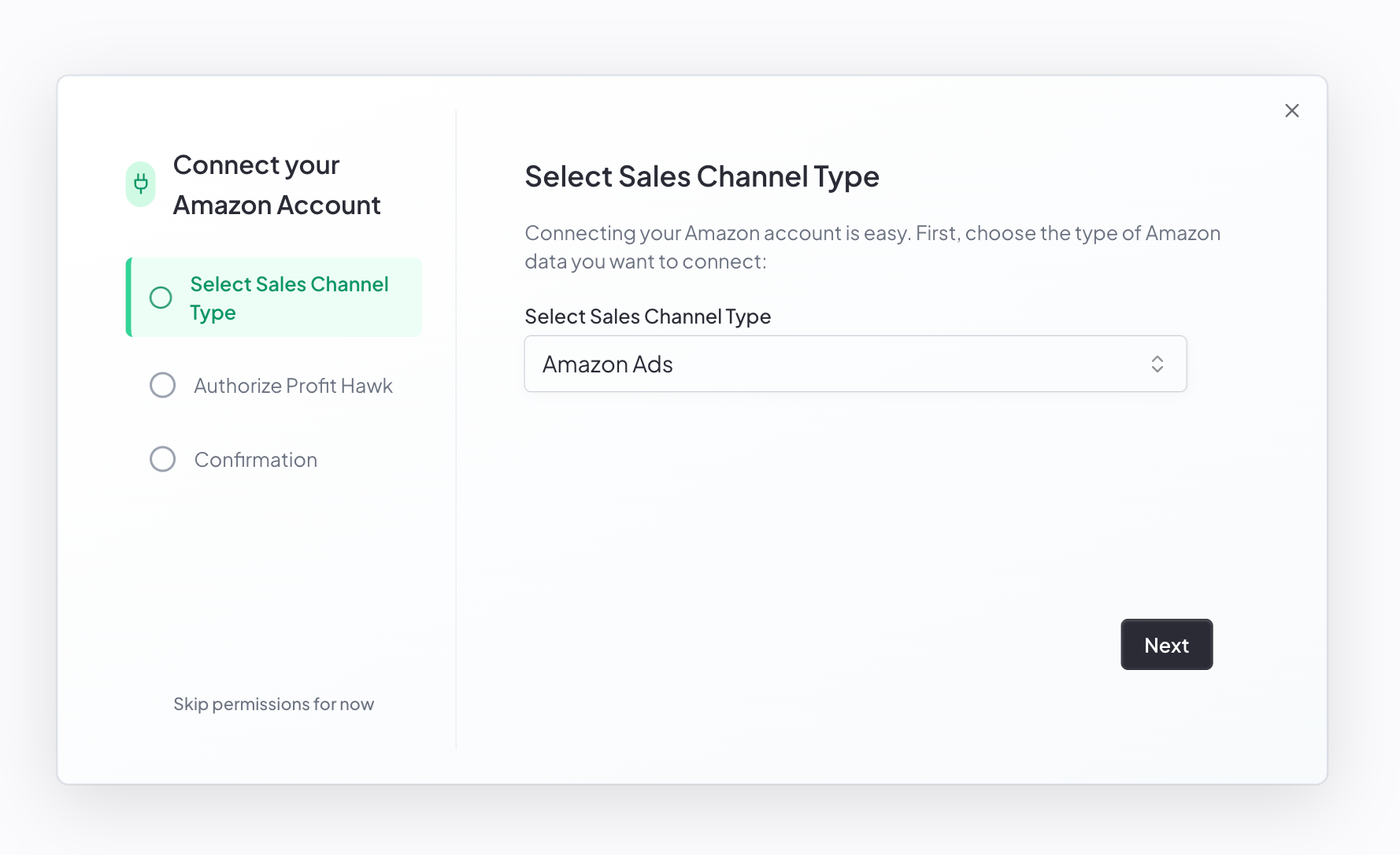
Select Amazon Ads
Choose Amazon Ads from the Sales Channel Type dropdown.
Select your region
Choose the same region as your Seller Central account: North America, Europe, or Far East.
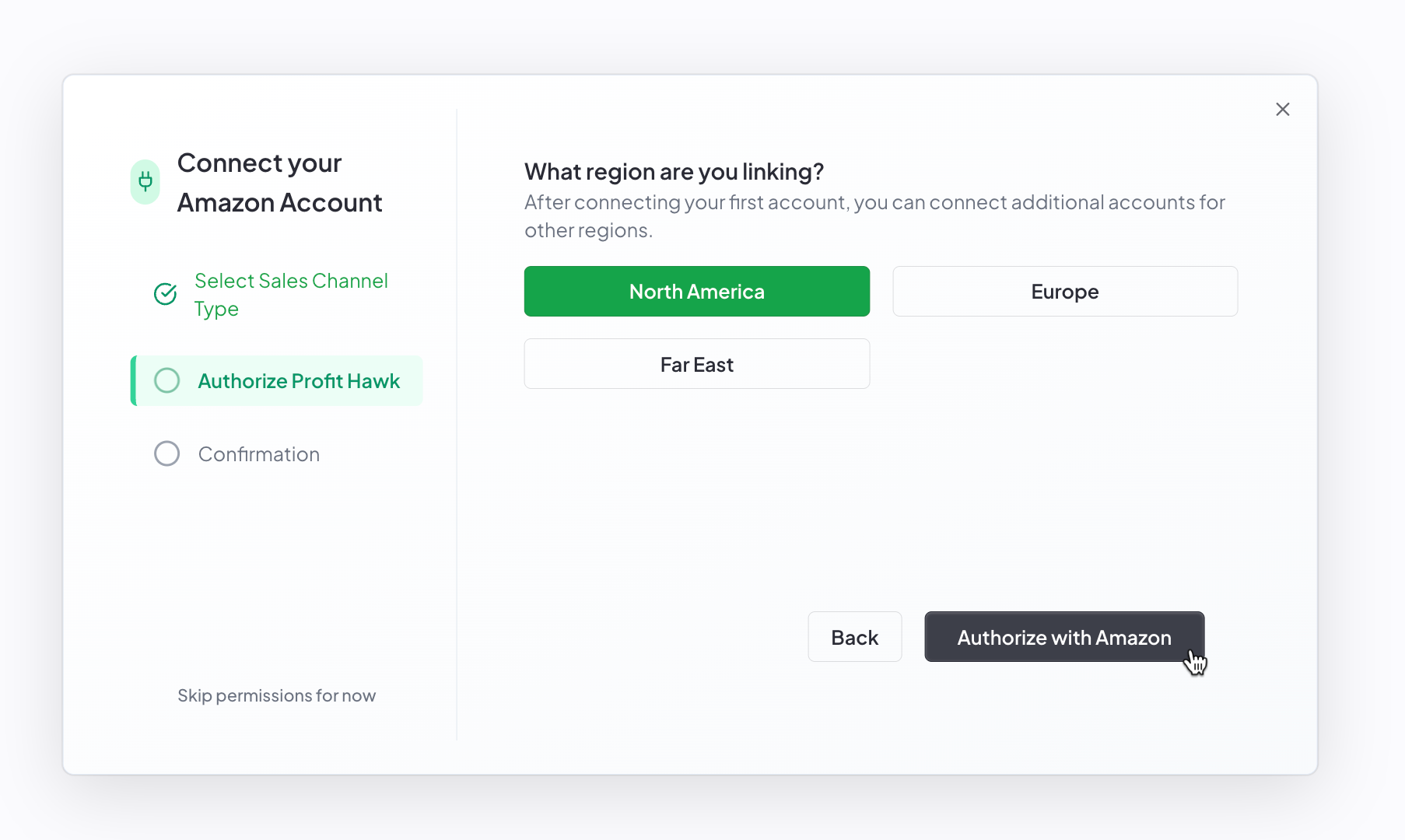
Click Authorize with Amazon
Click Authorize with Amazon. You are redirected to Amazon's advertising authorization page.
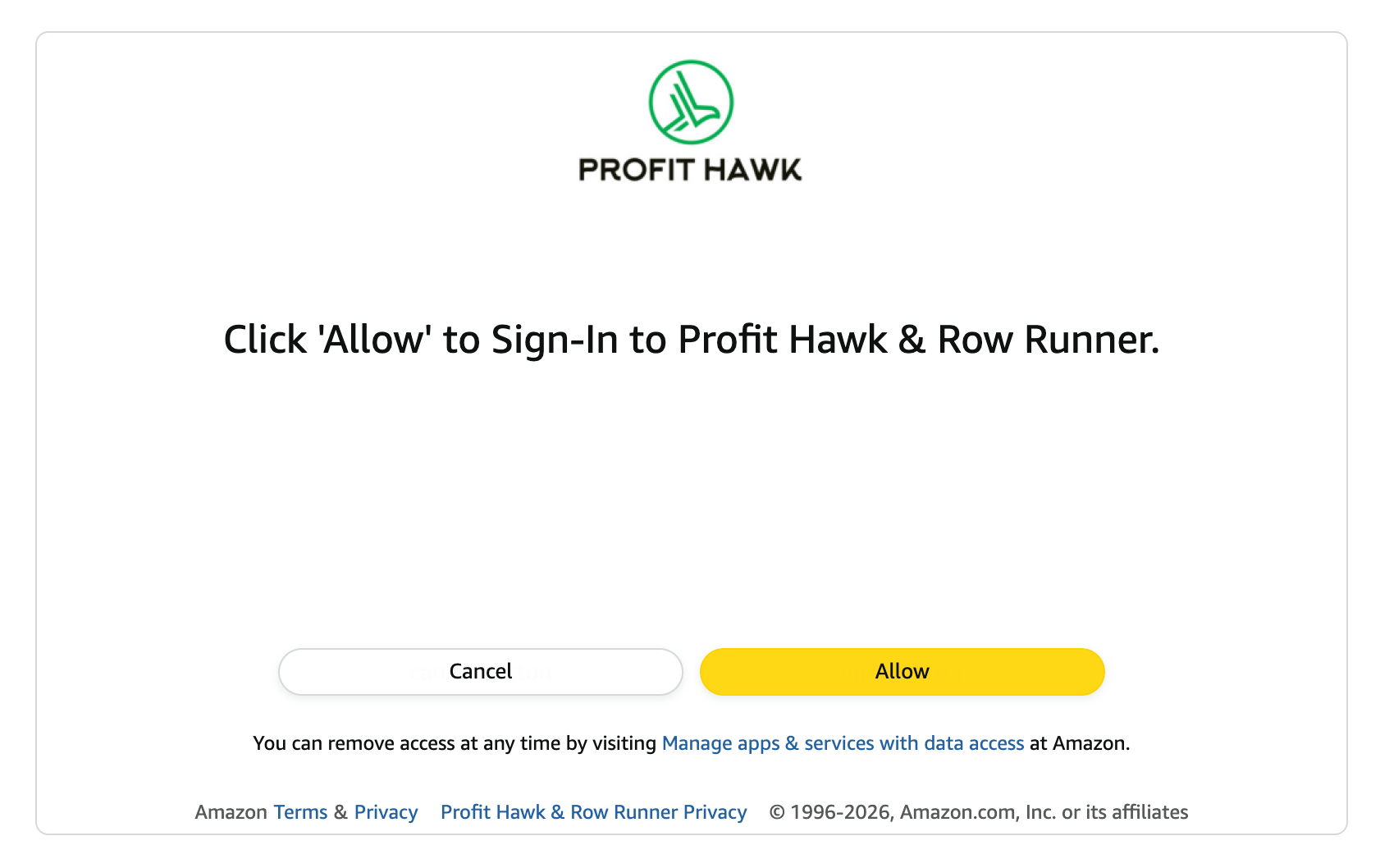
Allow access on Amazon
On the Amazon Ads page, click Allow to grant Profit Hawk access to your advertising data.
Select which ad accounts to keep
After allowing access, you are redirected back to Profit Hawk. A Select Ad Accounts step appears showing every ad profile found under your Amazon Ads account. All accounts are selected by default.
Uncheck any accounts you do not want to import, then click Save Selected Accounts.
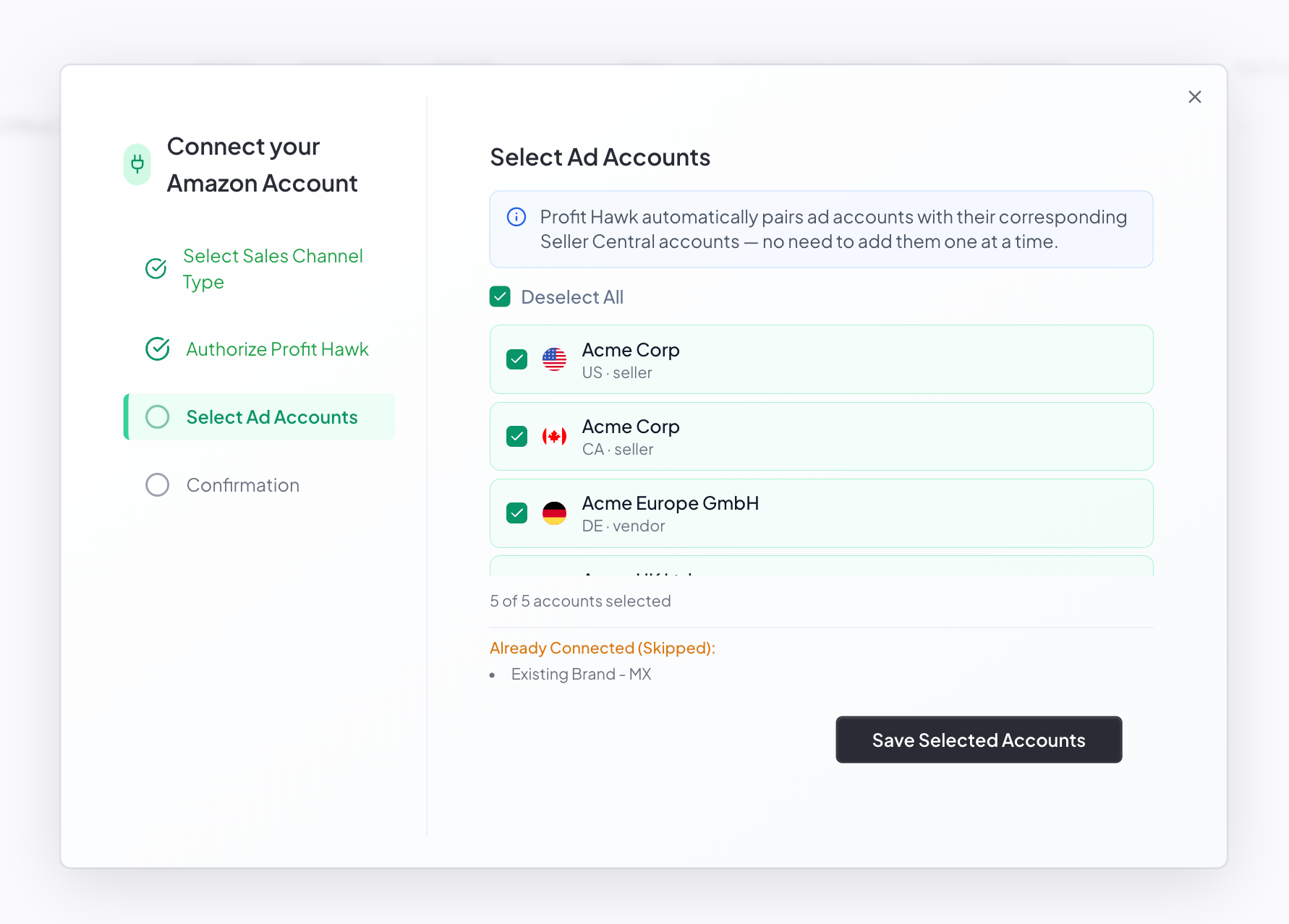
Profit Hawk automatically pairs ad accounts with their corresponding Seller Central accounts, so you do not need to add them one at a time.
Confirmation
After saving, you see a confirmation screen listing the accounts that were added.
What data does Profit Hawk sync?
Profit Hawk pulls the following from your Amazon Ads account:
- Ad spend: campaign and product-level advertising costs
- Ad-attributed units: units sold that were driven by advertising
- Ad-attributed revenue: revenue generated from ad-driven sales
This data appears in the Amazon Ads column group on the inventory overview table. You can view totals across all marketplaces or break it down by individual marketplace.
Connecting multiple accounts
If you sell in multiple regions, connect an Amazon Ads account for each region. Each account appears as a separate sales channel on the Sales Channels page. Profit Hawk rolls up advertising data from all connected accounts into your inventory overview.